DMC software is not like other travel agency software. An inbound agency or DMC does not sell an off-the-shelf package: it puts together local services (hotels, guides, transfers, restaurants), often buys them in local currency and sells them on to outbound agencies or tour operators, sometimes for groups of 40 whose names keep changing until the day before departure.
The result, in many companies: one spreadsheet per group, supplier confirmations scattered across inboxes, invoicing software that knows neither the VAT margin scheme nor the US dollar, and vouchers rebuilt by hand. Every change to a file ripples through four documents.
This article lists the features that really make a difference for an inbound operator, the ones that are a bonus, and how to test them before you sign.
Why DMC software is different from standard travel agency software
Inbound work turns the logic of an outbound agency upside down. A high-street agency sells a consumer a product designed by others; a DMC designs the product itself, from dozens of local suppliers, and sells it to professionals. Four differences directly affect the choice of tool.
- B2B clients. Your clients are foreign outbound agencies and tour operators. A single partner agency may send you 30 requests a year: you need to track the relationship, not just the file.
- Suppliers to coordinate. An 8-day tour easily involves 25 services (hotels, guides, drivers, entrance tickets, restaurants), each with its own status, option deadline and cancellation terms.
- Different buying and selling currencies. You buy in pesos or dirhams, you sell in euros or dollars, and your real margin depends on the exchange rate on the day you pay.
- A large share of groups. Rooming lists, passenger lists, individual options: things that package-selling software simply does not handle.
Software built for travel distribution, or a generic CRM, ignores all of this. Teams make up for it with spreadsheets, and that is where time and errors pile up.
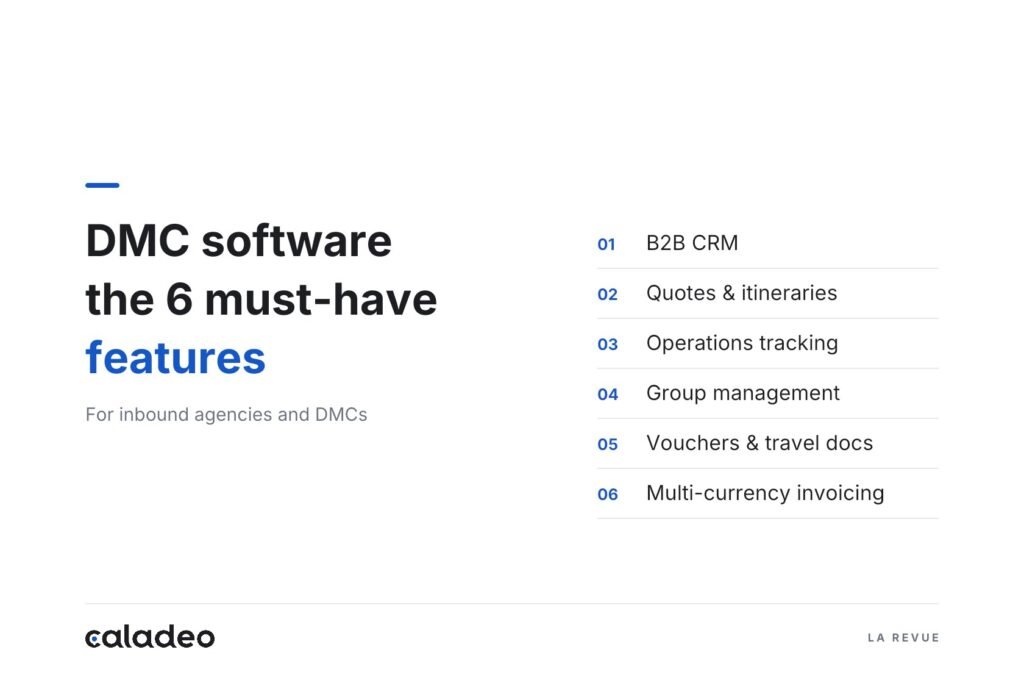
The 6 essential features of DMC software
Here, in the order of a file’s life cycle, is what DMC software should cover without sending you back to a spreadsheet.
1. A B2B CRM organised by partner agency
Each outbound agency or tour operator has its own record with contacts, negotiated terms, request history and conversion rate. Ongoing quotes appear in a pipeline, by stage and by amount, so you know every Monday what is waiting for an answer. Follow-ups are scheduled from the file, with no re-keying. A generic CRM can handle a contact record; it cannot link a request to an itinerary, a margin and a group.
2. Quotes and itineraries with automatically calculated margins
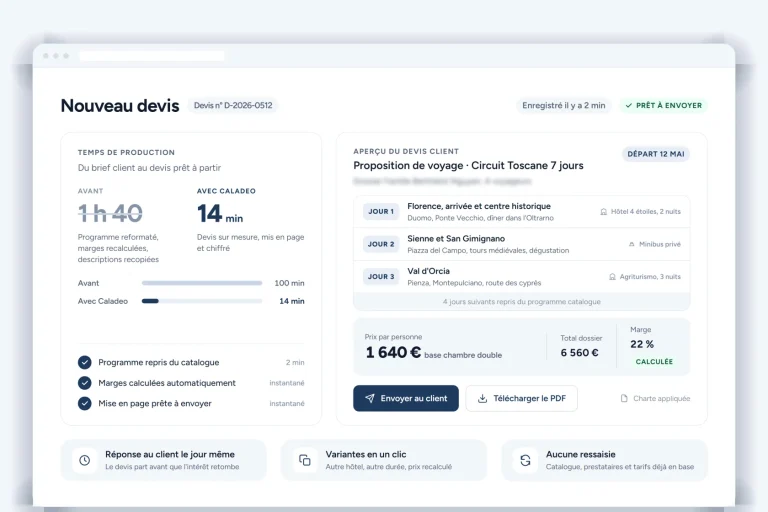
This is the core of the job. You build the itinerary day by day from a library of pre-priced services; the software adds up net costs, applies your margin per line or overall, and shows the selling price per person according to group size. Swapping a hotel or going from 20 to 25 participants recalculates everything, including the free places (FOC) granted to the tour leader. The quote then goes out under your brand, in your client’s language. We explain this logic in detail in Travel Quote Management: How Agencies Save Time with Caladeo.
3. Production tracking, service by service
Once the file is confirmed, each service carries its own status: to request, on option, confirmed, paid. A file view shows what is still missing; a supplier view shows everything you have booked with the same hotel over the month. Supplier records centralise contacts, negotiated rates and cancellation terms. Without this building block, the operations team rereads its emails to find out whether the guide for the 14th has confirmed.
4. Group management
A group is not an individual file multiplied by 30. The software must handle the participant list, the rooming list, individual options (single room, optional excursion, dietary requirements) and the free places granted to the tour leader, then pass every participant change on to the price per person, the vouchers and the invoicing. A last-minute substitution should take one edit, not four files.
5. Automatically generated vouchers and travel diaries
The vouchers sent to suppliers and the travel diary given to the client draw on the file’s data: names, dates, times, emergency contacts. They are generated in one click, in the traveller’s language, and regenerated after every change. On a group of 40 people with 25 services, that is half a day of layout work saved at every change.
6. Multi-currency, multilingual invoicing, with the VAT margin scheme
DMC software must invoice in the client’s currency, track deposits and balances, and record supplier payments in their own currency so you know your real margin. For a company established in the European Union, it must also handle the special VAT scheme for travel agents, known as the margin scheme. Under the EU VAT Directive, this scheme applies to businesses that deal with the customer in their own name and use goods and services supplied by other businesses to provide the trip (EU VAT Directive 2006/112/EC, Articles 306 to 310). In practice, VAT is calculated on the difference between the selling price and the cost of the services bought in, not on the full price: the software must therefore track both amounts for each file.
Want to see these six building blocks in a single tool? Each one is detailed on the Caladeo Features page, Production & Groups section. To see them on a file like yours, request a 30-minute demo.
The features that save even more time
These building blocks are not essential on day one, but they separate a tool that keeps up with you from one that holds you back as your business grows.
- AI itinerary generation and translation. From a request of a few lines, the AI suggests a first day-by-day outline that you then adjust, and translates descriptions and quotes for a German or Italian partner. The gain shows on the first quotes, the ones you send without knowing whether the agency will sign.
- Roles and permissions. A sales rep sees their own files and margins; an operations agent sees the services without the selling prices; management sees everything. Essential once the team grows beyond three people or works across two sites.
- EU hosting and GDPR compliance. You store names, passport numbers and contact details of travellers from all over the world. The GDPR only allows personal data to be transferred outside the European Union under certain conditions, notably an adequacy decision for the destination country or standard contractual clauses (GDPR, Chapter V). Hosting within the EU makes your compliance much simpler.
How to evaluate DMC software before you sign
The feature list on a sales page does not tell you how the tool behaves on a real file. Five checks are enough to form an opinion in a single demo.
- Bring a real file. A group of 30, 8 days, 3 hotels, a change of participants along the way. Ask to see the quote, then the change, then the regenerated voucher.
- Have a margin calculated in two currencies. Buying in local currency, selling in euros: the software must show the real margin, not just the selling price.
- Check how your data will be migrated. Partner records, suppliers, rates: who does the import, how long does it take, and at what cost?
- Test their grasp of the trade. Ask a pointed question (group FOC places, the VAT margin scheme) and note whether the answer is clear and immediate, or put off “until later”.
- Ask how long onboarding takes. A team of 4 should be self-sufficient after a few hours of training, not several weeks.
To go further on what a dedicated tool actually changes, read Travel Agency Management Software: What Actually Changes Day to Day.
FAQ: DMC and inbound agency software
Is DMC software suitable for a small inbound agency?
Yes, if the vendor genuinely supports you through the start-up phase and the tool can be learned in a few hours. A two-person company handling 80 files a year needs per-service statuses and automatic vouchers just as much as a team of ten; it simply has less time to spend on setup.
Can you invoice in several currencies while applying the VAT margin scheme?
Yes, provided the software records, for each file, the selling price and the cost of the services bought in, converted into your accounting currency. VAT is calculated on that difference (EU VAT Directive 2006/112/EC, Articles 306 to 310). Check this point during the demo with your accountant.
Do you need a different tool for groups and for individual travellers?
No. Good DMC software handles both with the same file logic: same service library, same margin calculation, same vouchers. A group file simply adds the participant list, the rooming list and the price per person by group size.
How long does it take to migrate your data?
It depends on the volume and the state of your files. Allow a few days to import partner records, suppliers and rates from clean exports; files already in progress are usually re-entered as you go. Ask for a written commitment on scope and timing before you sign.
Still managing your groups in a spreadsheet? Request a Caladeo demo: 30 minutes with an inbound travel expert, 2-hour onboarding included, support in English within 24 business hours.
Sources
- EU VAT Directive 2006/112/EC, Articles 306 to 310: special scheme for travel agents
- GDPR (Regulation (EU) 2016/679), Chapter V: transfers of personal data to third countries